 Mobi Kit by Munk
Your store, in your customers’ pockets.
Mobi Kit turns your Shopify store into a native iOS and Android shopping app. Design it inside Shopify admin with a live preview, we build it in the cloud, and design changes go live in the app instantly.
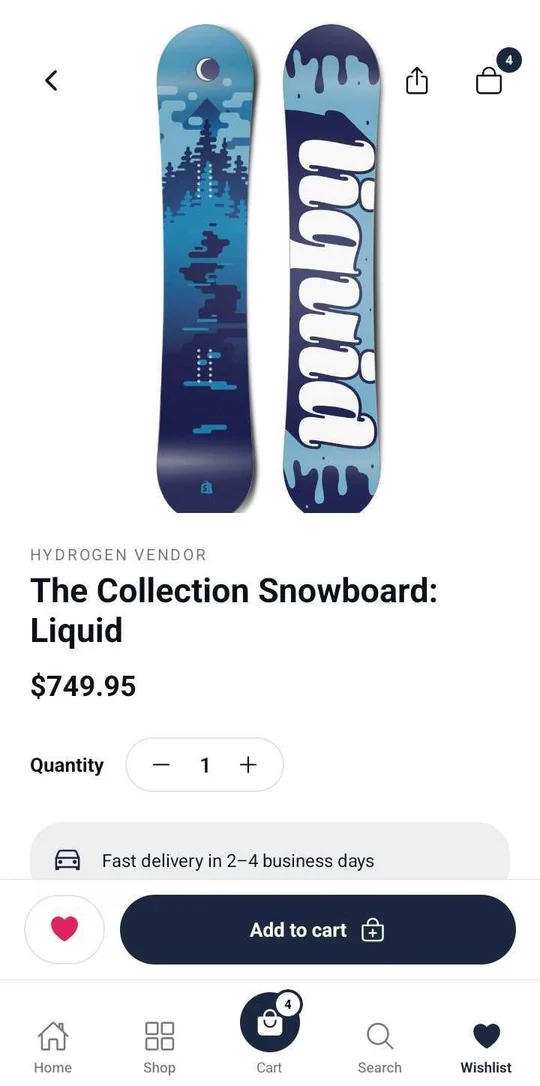
Native screens, not a website in a frame
Every app is built from your live catalog — products, collections, prices and stock stay in sync with your store automatically.
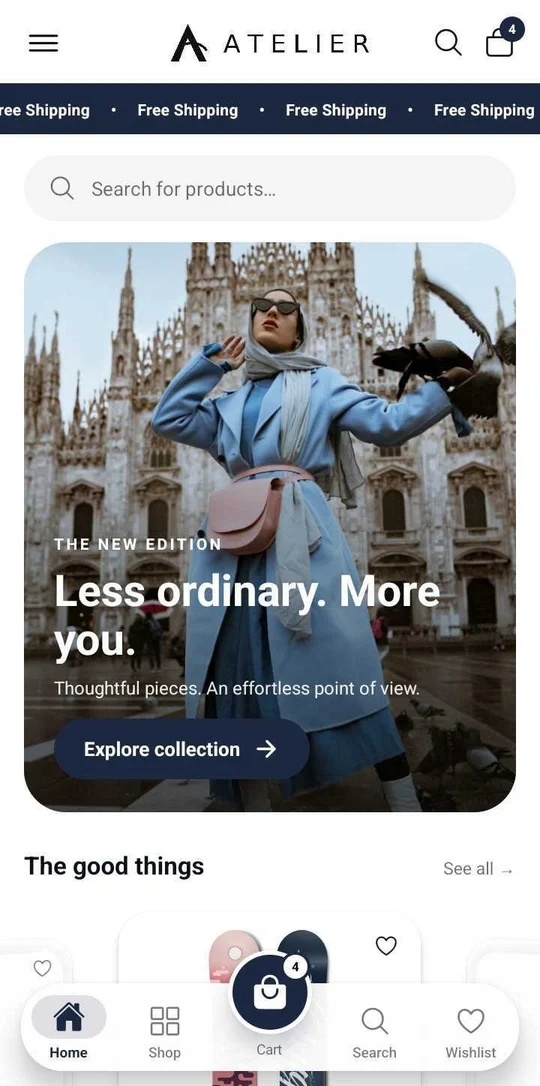
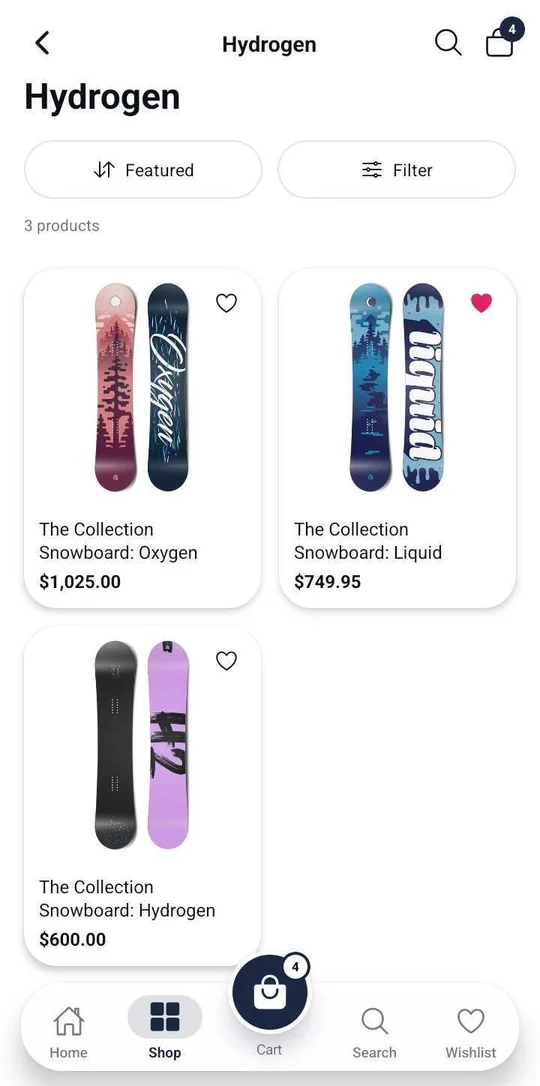
Fast, native shopping
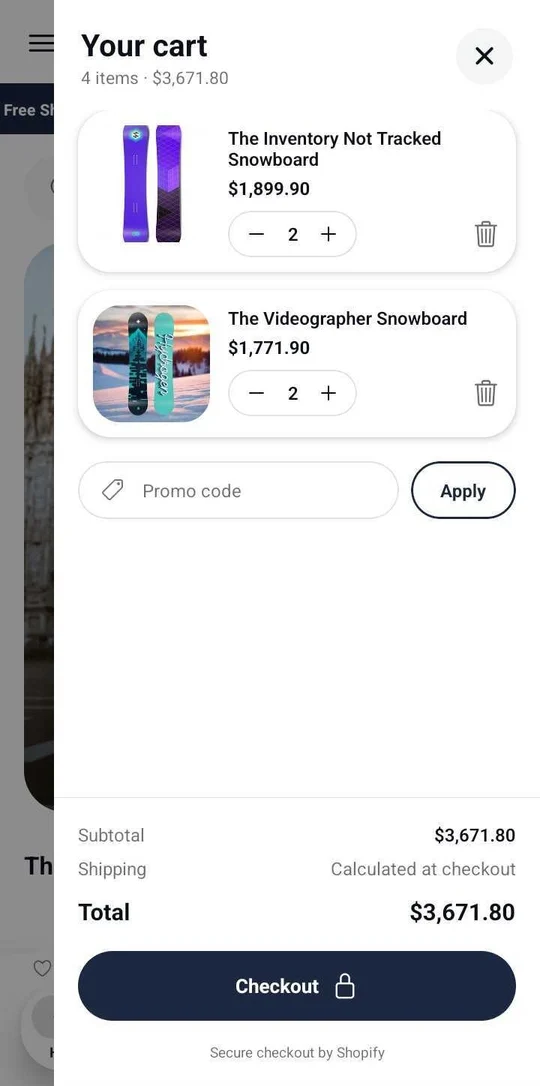
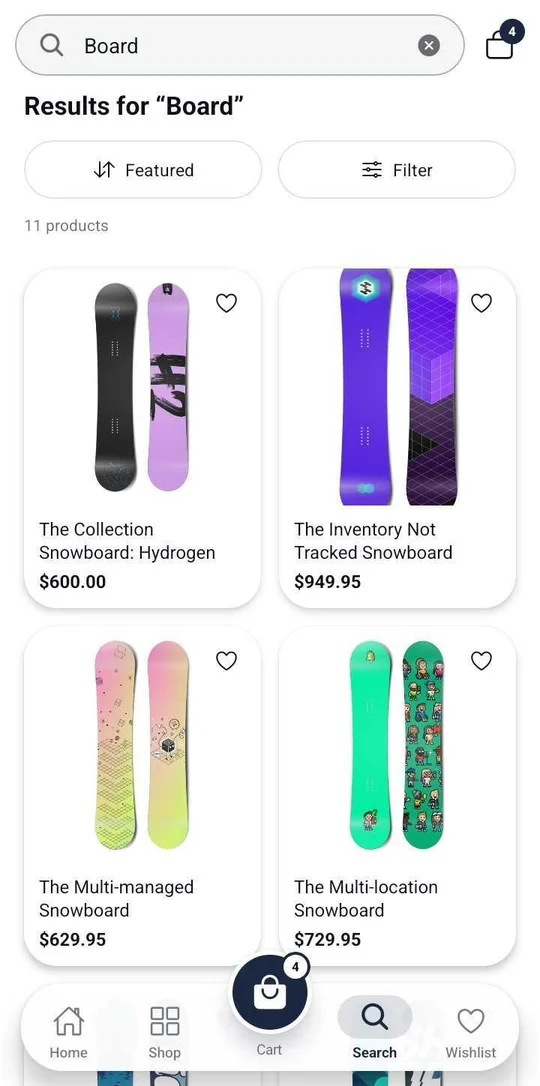
Home, collections with filters and sorting, product pages with variants, search, wishlist and a cart drawer — built with native components.
Your store’s checkout
Shoppers pay with your store’s own secure checkout, with your payment methods, discounts and shipping rules. Shoppers who sign in to the app arrive at checkout signed in.
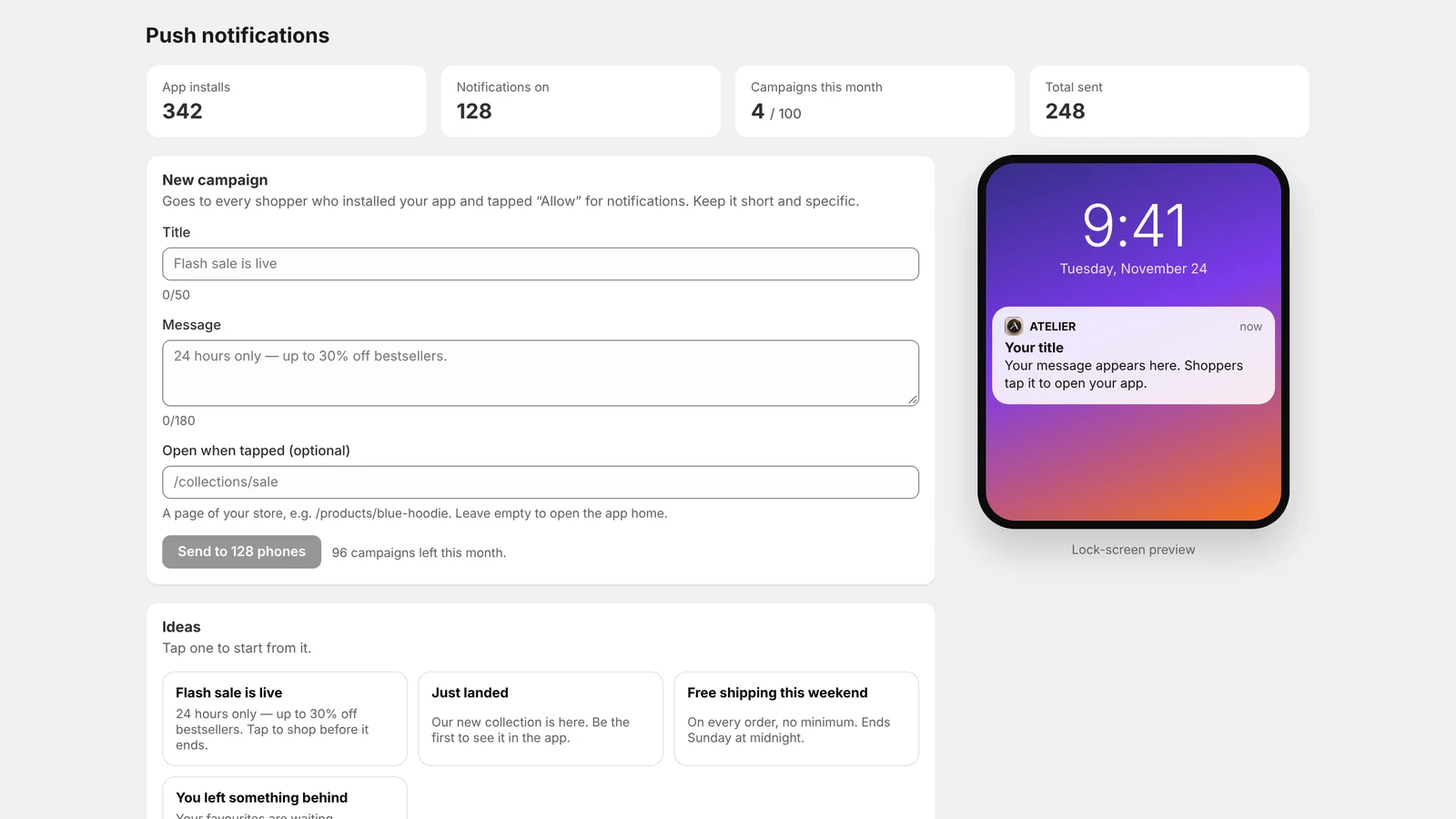
Push notifications
Send a message to every phone with your app, choose the page it opens, and see delivery results in your admin.
8 templates, all yours
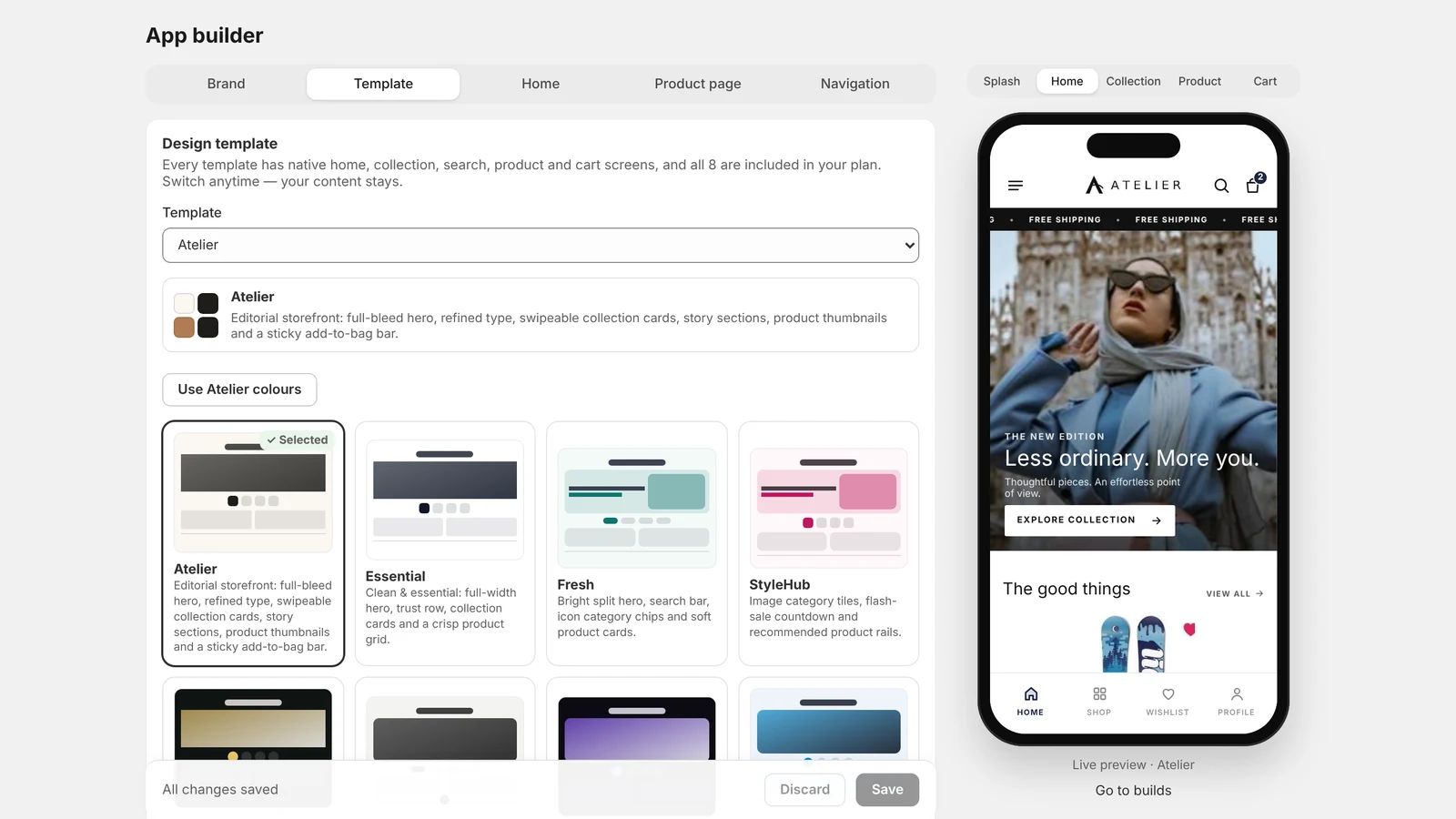
Atelier, Essential, Fresh, StyleHub, Outdoor, Urban, Cinematic and Glass — switch anytime, your content stays.
AI designer
Describe your brand, attach a few photos, and get a complete home screen to review before anything goes live (Pro and Pro Max).
Builds in the cloud
Android APK and Google Play bundles on every plan, iOS builds on Pro Max. No code, no developer tools on your computer.
Design it in Shopify admin. See every change live.
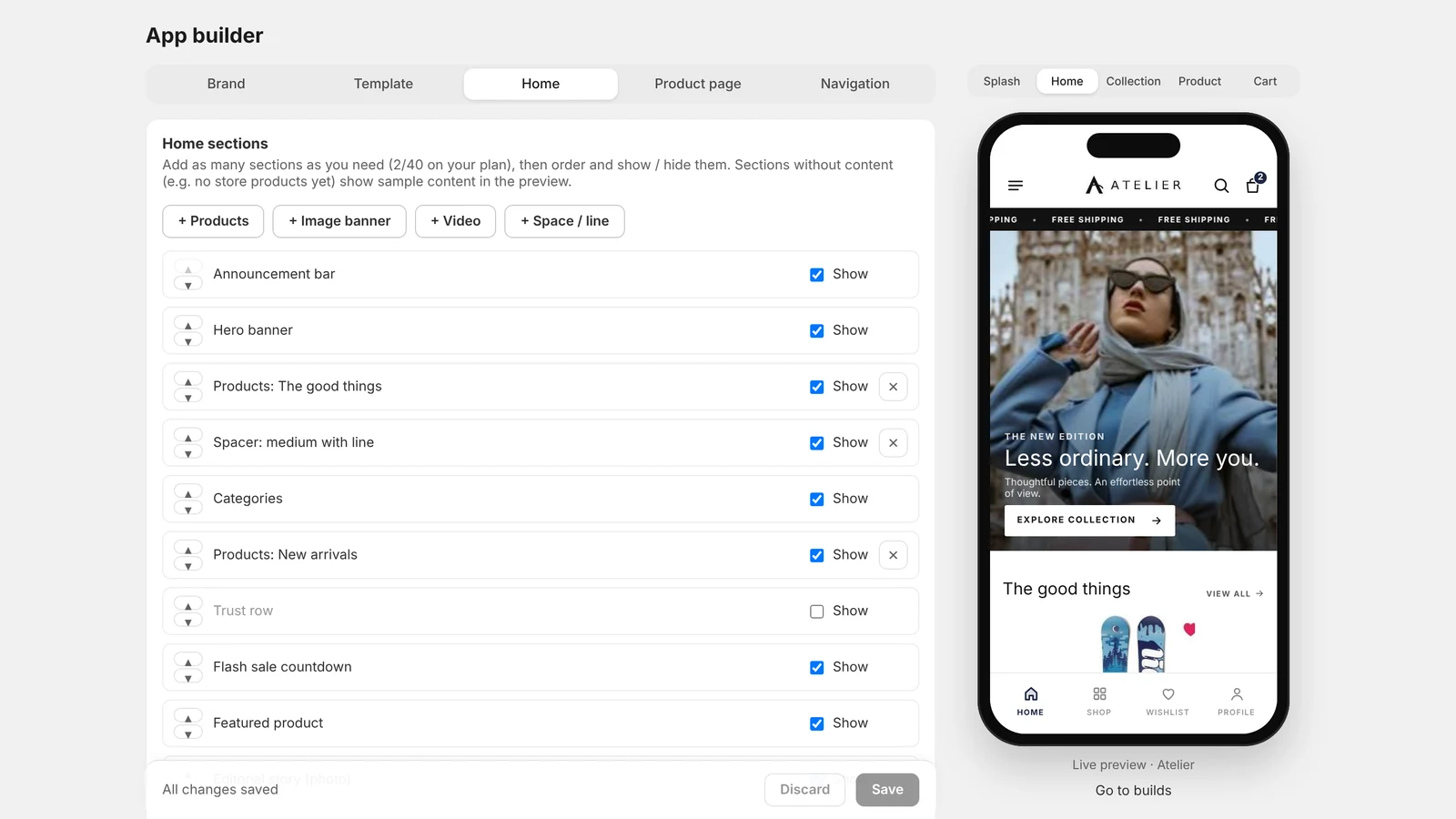
The App builder lives inside your Shopify admin. Pick a template, add your logo and colours, then build your home screen section by section.
- Add as many home sections as your plan allows: product rails, grids, carousels, image and video banners, spacers.
- Hero slider with its own text on every slide, autoplay and slide or fade transitions.
- Navigation, product page metafields and colour details — all with a live phone preview.
Pick a look. Switch anytime.
Every template includes native home, collection, search, product and cart screens. All 8 templates are included in every plan.
Publish, then bring shoppers back.
Start a build from the Builds page, test it on your phone from a download link, then publish to Google Play and the App Store from your own developer accounts. Once shoppers install it, reach them with push notifications.
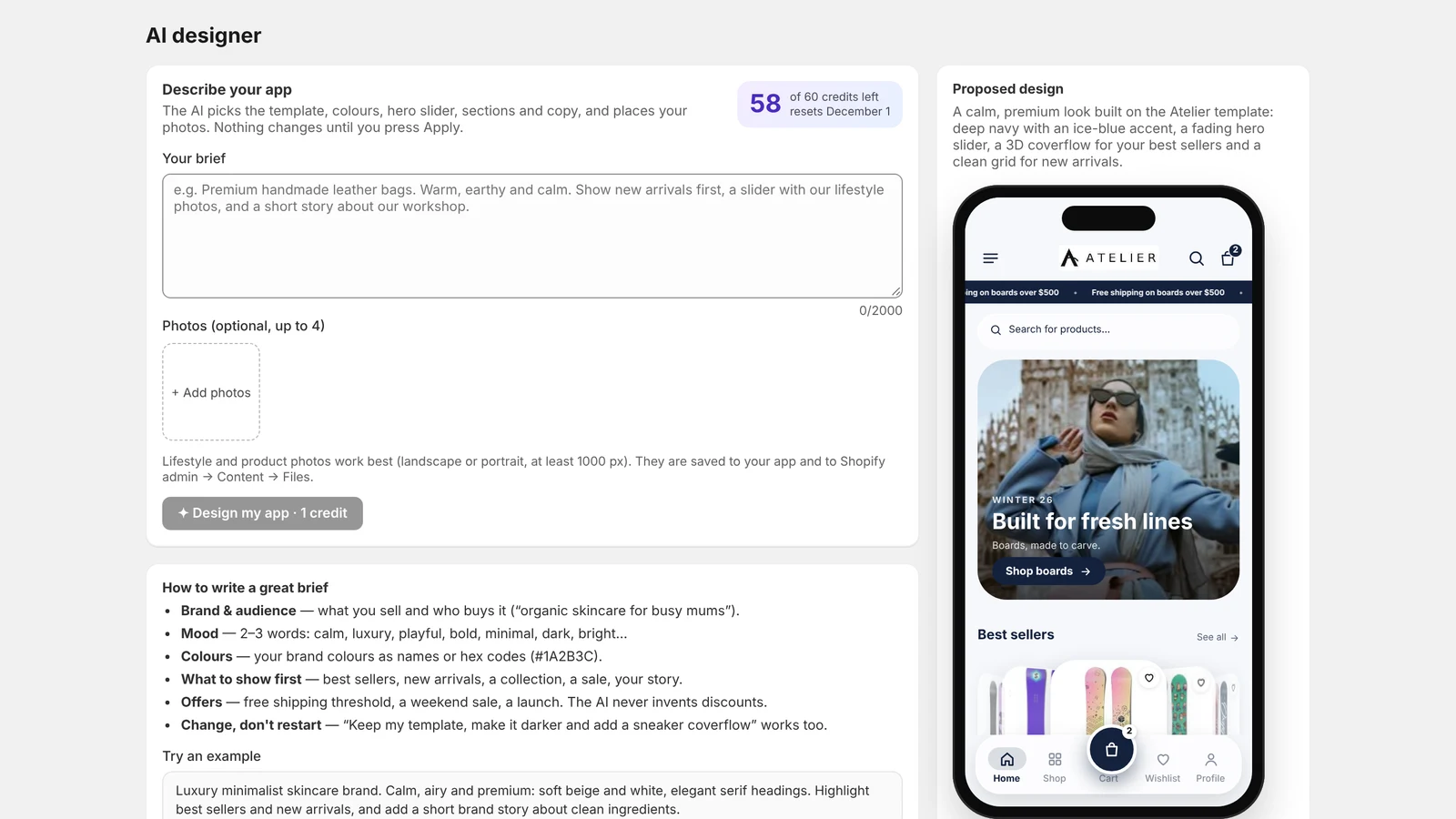
Describe your app. We design it.
Write what your brand feels like and attach a few photos. The AI picks the template, colours, hero slider, sections and copy, and places your photos — following Mobi Kit’s design standards.
- Preview the proposal, then Apply. Nothing changes until you do.
- One click to undo and return to your previous design.
- Your photos are saved to your app and to your Shopify Files.
See Mobi Kit in action
Simple monthly plans
Every plan starts with a 7-day free trial. Billed by Shopify on your regular Shopify invoice. Cancel anytime.
Basic
- All 8 templates
- Up to 12 home sections
- Hero slider with text on every slide
- Cart drawer with sound and haptics
- Android builds – 5 / month
- Push notifications – 4 campaigns / month
- “Built with Mobi Kit” badge
Premium
- Everything in Basic
- Autoplay video sections
- 3D coverflow product carousel
- Advanced colour editor
- Product page metafields & metaobjects
- Up to 20 home sections
- Remove the Mobi Kit badge
- 15 builds · 15 push campaigns / month
Pro
- Everything in Premium
- AI designer – 20 designs / month
- Up to 30 home sections · 10 banners
- 30 builds · 40 push campaigns / month
- Priority build queue and support
Pro Max
- Everything in Pro
- AI designer – 60 designs / month
- iOS builds
- Done-for-you Google Play & App Store submission
- Up to 40 home sections
- 60 builds · 100 push campaigns / month
Prices in USD. Apple ($99/year) and Google Play ($25 one-time) developer account fees are paid by the merchant directly to Apple and Google.
Questions merchants ask
Do I need to code or install anything on my computer?
No. You design the app in Shopify admin and Mobi Kit builds it in the cloud. You only need your phone to test the app.
Do products and prices stay in sync?
Yes. The app reads your live catalog, so products, collections, prices and stock are always up to date. Design changes (colours, sections, banners) also reach the installed app without a new build.
How do shoppers pay?
With your store’s own secure checkout, inside the app — the same payment methods, discount codes and shipping rules as your online store.
Whose name is the app published under?
Yours. Apps are published from your own Google Play and Apple developer accounts, so the app and its listing belong to you. Read how publishing works.
What happens if I cancel?
You can cancel anytime from the Plans page. While no plan is active, the app shows shoppers a short “temporarily unavailable” screen; subscribe again and it is back without a rebuild.
Which languages does the admin support?
The Mobi Kit admin is in English.
Start your 7-day free trial
Install Mobi Kit from the Shopify App Store and have a test app on your phone today.